What's New
We are continuously improving i2i to deliver a better, more powerful experience. Explore the latest updates, new tools, and enhancements that help you navigate standards content more efficiently.
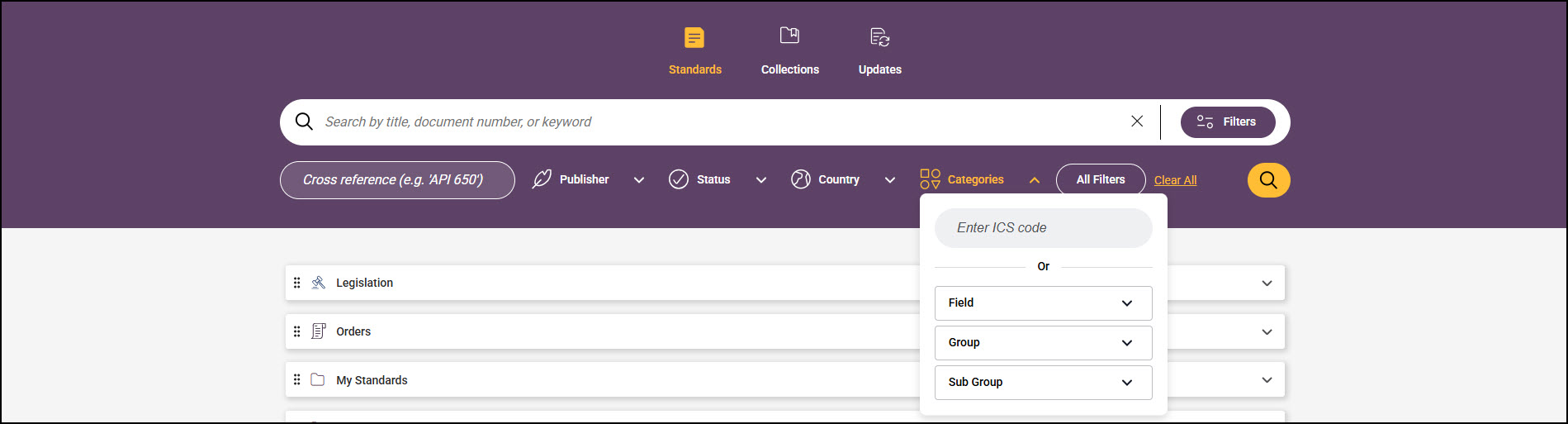
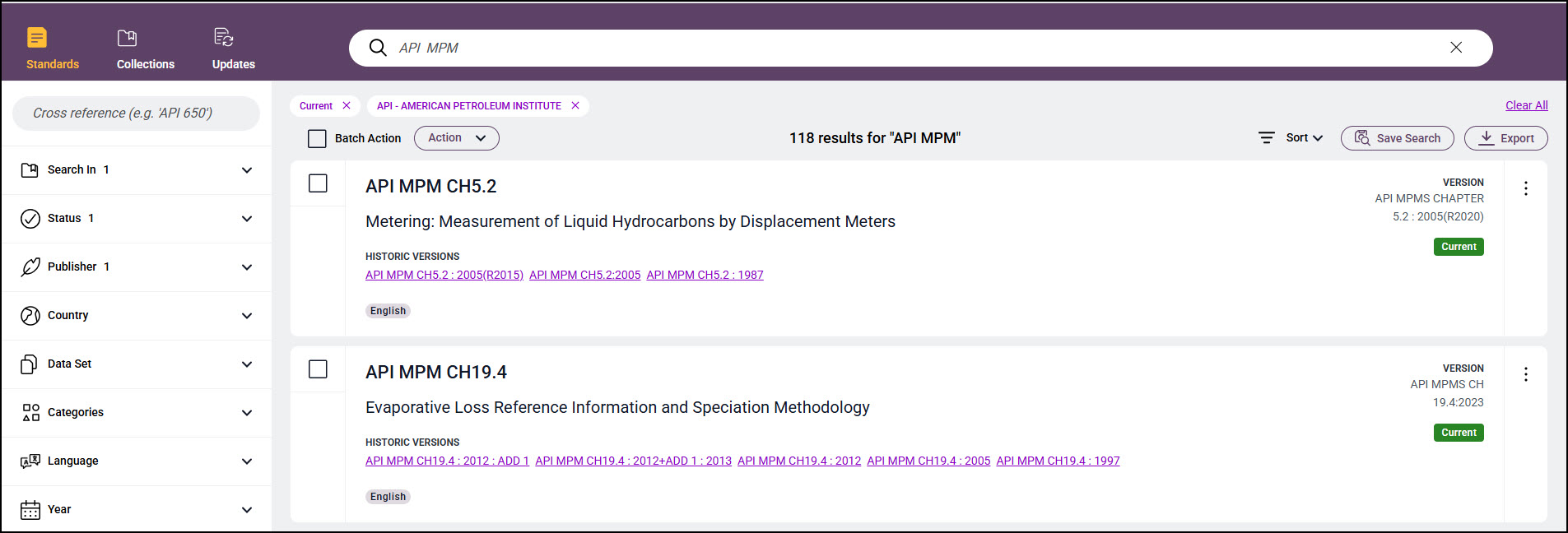
Enhanced Search Experience
Our upgraded search delivers a faster, cleaner, and more intuitive experience across the platform.
What’s improved:
- Unified Standards Search Bar – Search all standards from one streamlined search box.
- Simplified Category Search – Categories are now integrated directly into Standards and Collections search for a smoother, more intuitive experience.
- Updated User Interface – Modern look and simplified interactions.
- Faster Search Results – Optimised performance for quicker response times.
- Improved Relevance – More accurate matches based on enhanced boosting and ranking logic.
New Product Menu
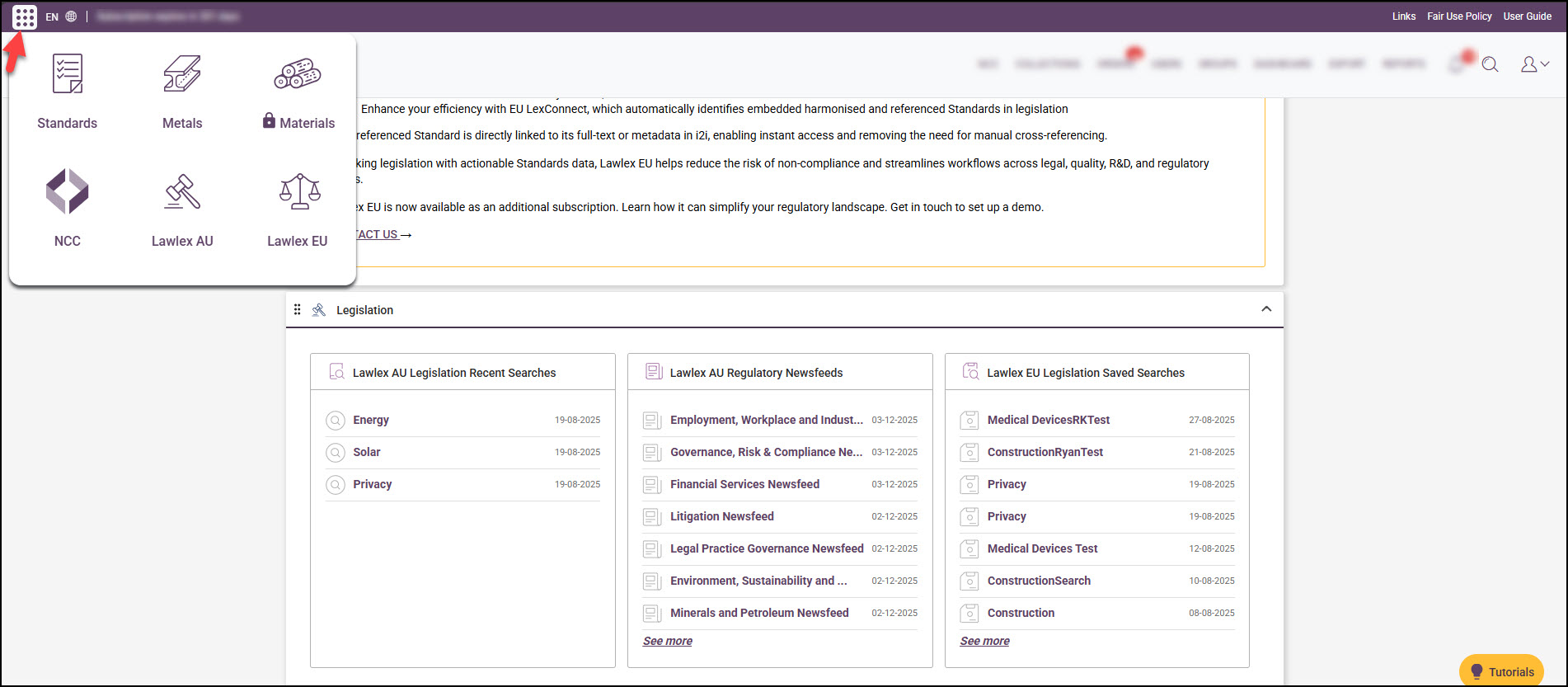
A new 9-dot product menu is now available at the top-left corner of the platform.
With this update, you can:
- Seamlessly navigate across i2i content modules.
- Access the full Intertek Inform standards & regulatory subscription suite.
- Move between platforms without additional log-ins.
- Quickly access regulatory platform searches via the new legislation widgets added to the i2i home page.
- See which modules you don’t have access to – these will appear with a lock icon based on your subscription.
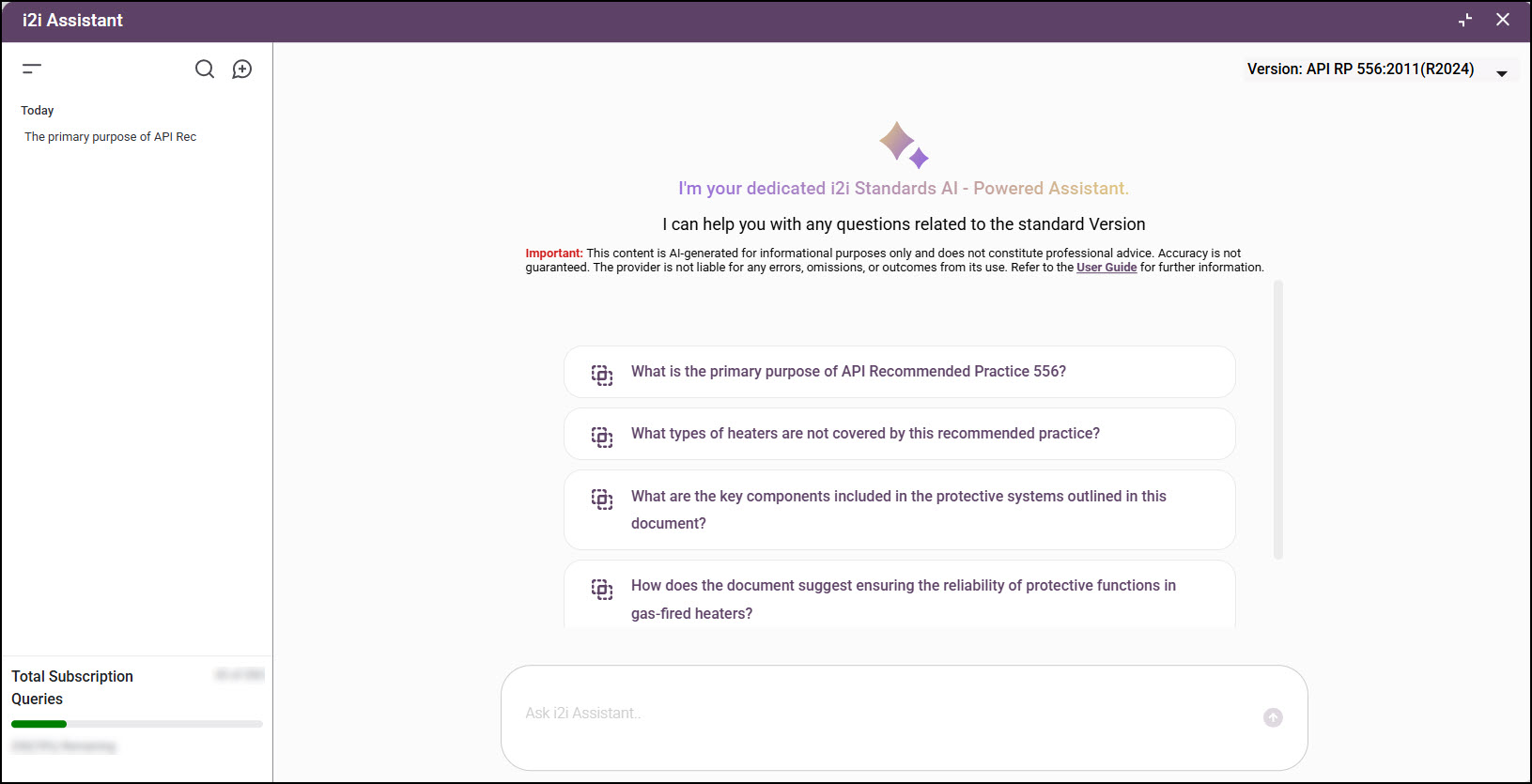
AI Assistant
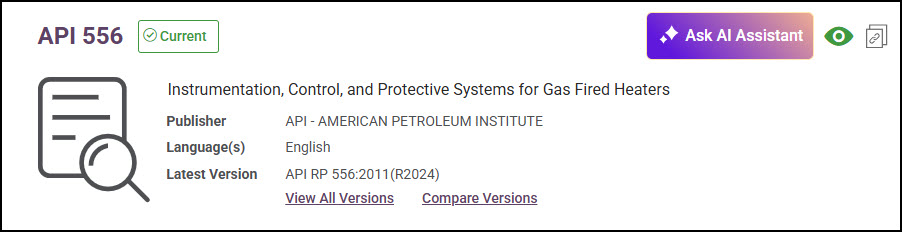
Our AI Assistant helps you understand standards more easily through natural-language questions.
What’s new:
- Ask questions about specific versions of a standard
- Select from pre-made prompts or type your own
- View, search, rename, or delete chat history
- Start a new chat for a different version anytime
Access is available only when enabled as part of your subscription add-on. See AI Assistant help guide for more details.
AI Compare
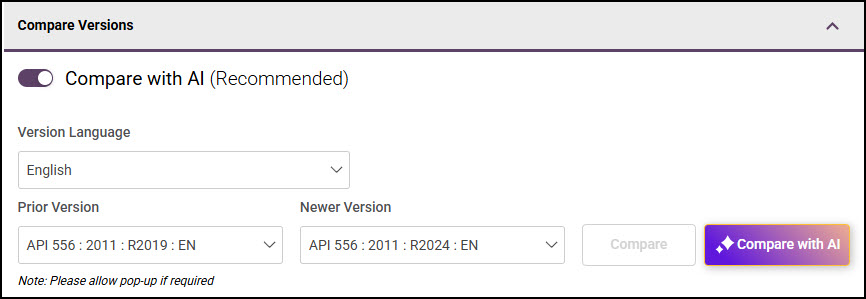
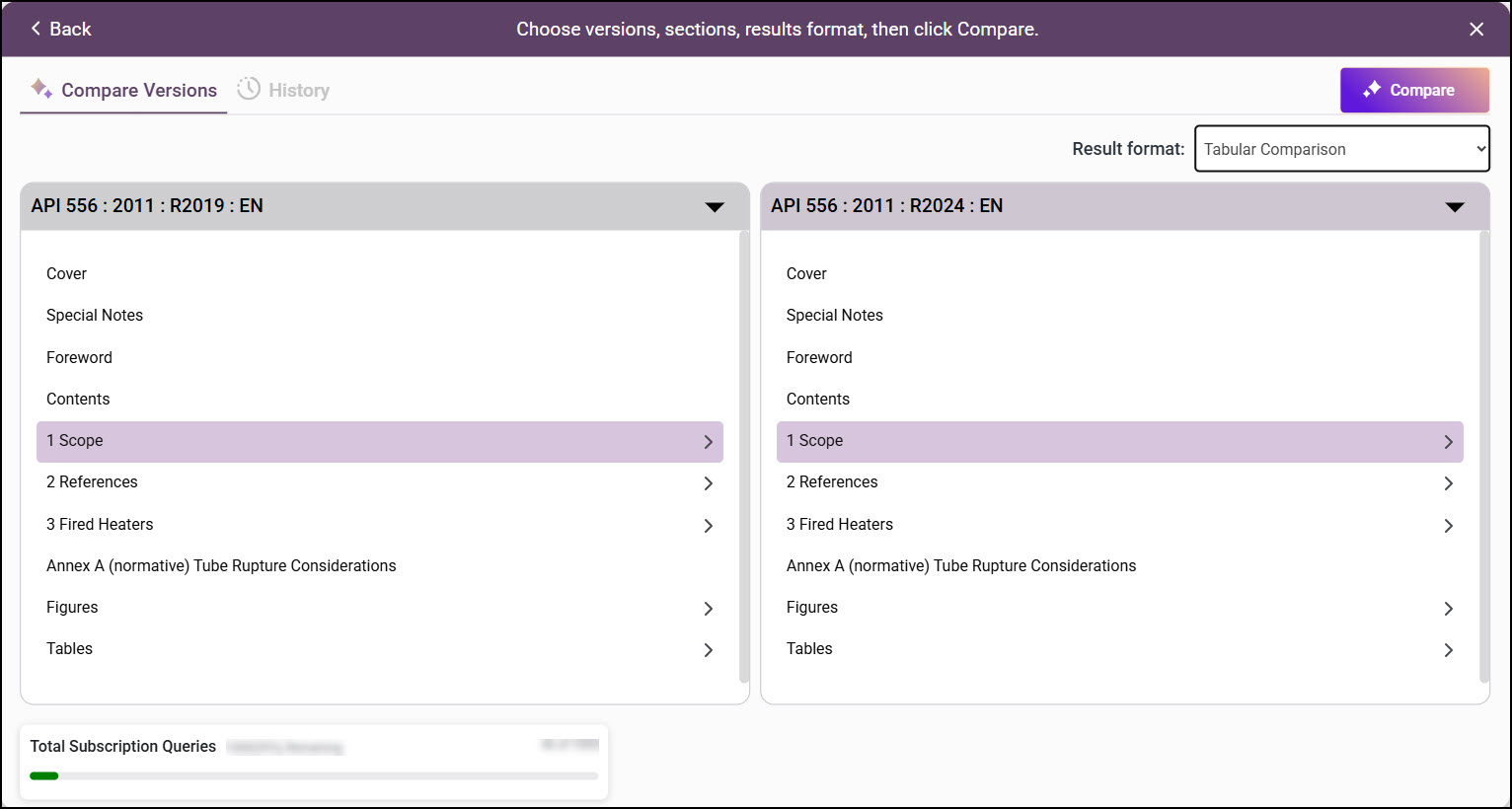
AI Compare enhances the Compare tool by automatically analyzing differences between version sections making changes easier to spot.
What’s new:
- AI-generated summaries of changes between versions sections
- Compare any valid pair of sections from prior and newer versions
- Choose from multiple comparison result formats
- View or filter your comparison history
Access is available only when enabled as part of your subscription add-on. See AI Compare help guide for more details.
Search Pro
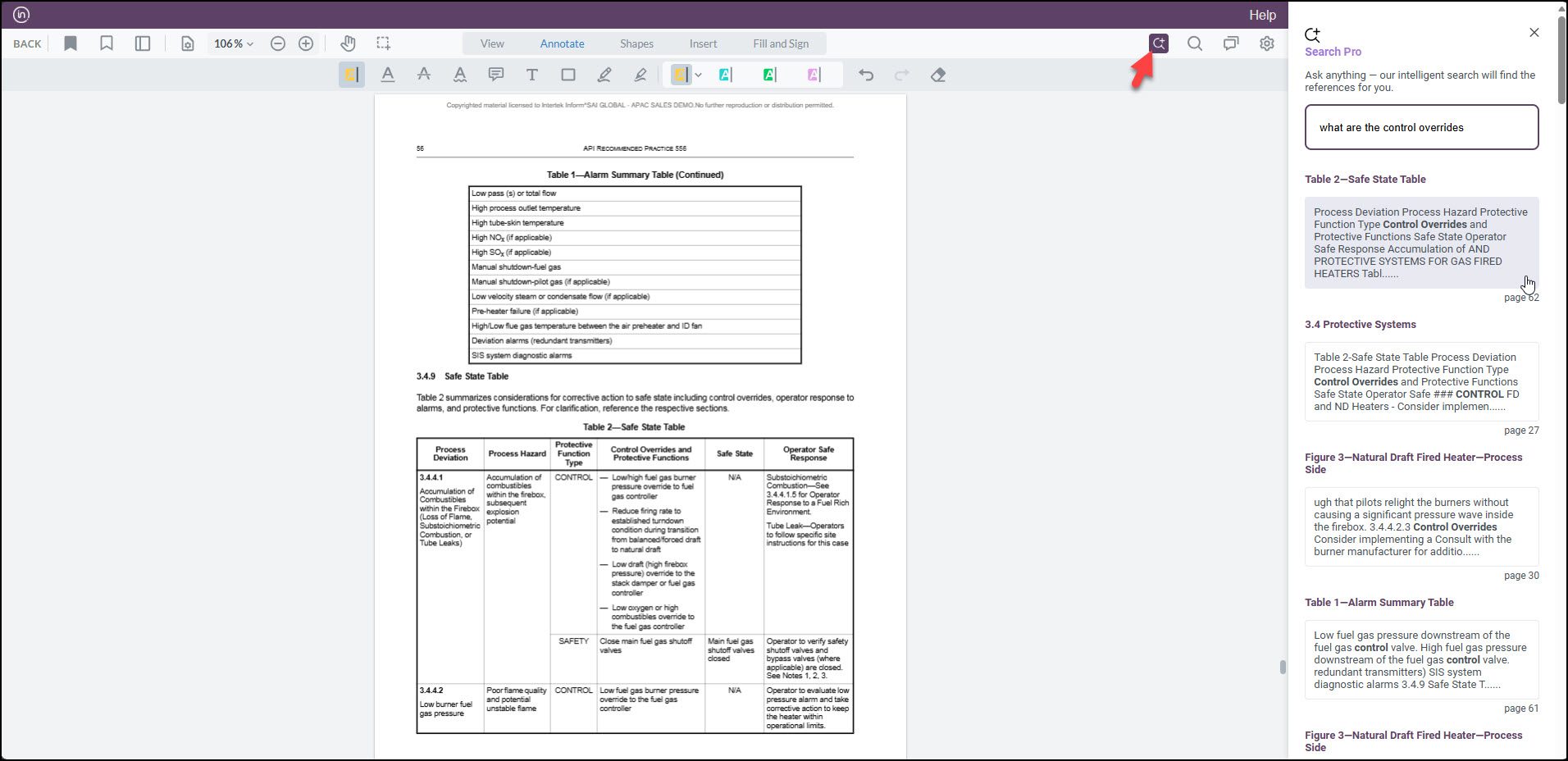
Search Pro uses natural-language queries to help you find the exact section you need within a standard.
What’s new:
- Ask questions and get direct links to relevant sections
- Available for most supported standards
- Subscription-wide shared query limits
- Accessible in the Online Viewer via the Search Pro icon
Access is available only when enabled as part of your subscription add-on. See Search Pro help guide for more details.
Dynamic Tracker
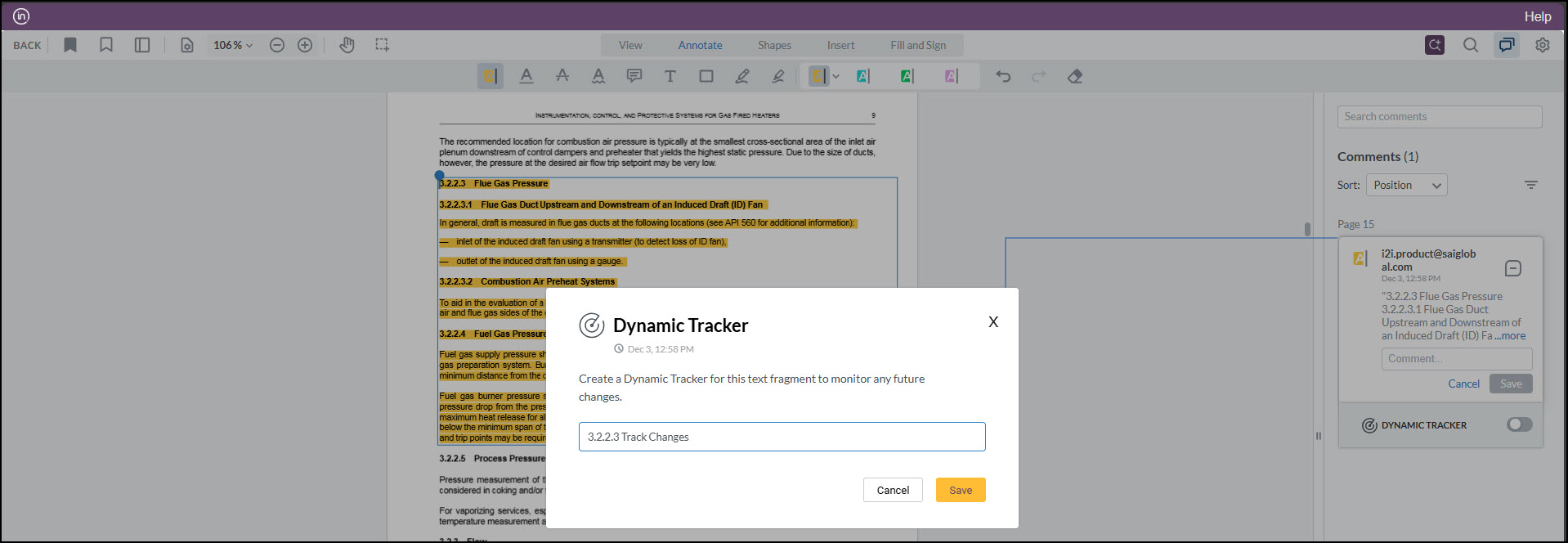
Dynamic Tracker notifies you when key sections of a standard change in newer versions.
What’s new:
- Highlight text to start tracking a section
- Get alerts when tracked content is updated
- Manage tracked items through the annotations panel
Access is available only when enabled as part of your subscription add-on. See Dynamic Tracker help guide for more details.
![[I]](https://uat.i2.saiglobal.com/management/../common/skin/icons/transparent.png "i2i") |
[GUEST] © 2026 Intertek Inform (entity name SAI Global Australia Pty Ltd) ABN 14 144 974 087 (0.097800s) [X2] |